Dauth's Castle on a Gamepad: Age of Empires II: Definitive Edition Review
A review of Age of Empires II: Definitive Edition for Xbox: the author examines gamepad controls, the automatic economy and compatibility with mouse and mods in detail, praising the port and the game itself while criticizing the story campaigns.
The second “Age of Empires” is a phenomenally resilient game. Starting its journey back in 1999, it managed to outlive its threequel and fourquel, first acquiring a modest HD re-release in 2013, then an exemplary remaster in 2019. The game is alive. And when I say it's alive, I don't mean merely working servers and a small handful of active fans. It's far more convincing. Regular expansions with new civilizations, story campaigns and plenty of tweaks are still released, tournaments with hundreds of thousands of dollars in prize money are held on a regular basis, and online is teeming with bloodthirsty tactical geniuses furiously gnawing each other's castles for rating.
For the author of these lines, love for Age of Empires 2 stretches back to childhood. If before I just liked building pretty little towns and plunging into story adventures as Joan of Arc and Genghis Khan, in recent years the “Age” has opened up to me from the esports side. Following tournaments such as Red Bull Wololo and King of Desert turned out to be surprisingly engrossing. The game, like something such as Starcraft, has almost bottomless potential for spectacular confrontations and unexpected tactical decisions. And, what's more important, a big and friendly community always ready to provide those confrontations. After all, watching Russian hotshots (Vinchester and Dark) clash with the best players on the planet is always thrilling.
And then, like a bolt from the blue, last autumn a version for Xbox was presented to us… Facing an RTS on a gamepad is not new to me. Behind me are already the Halo Wars duology, Iron Harvest and Spellforce 3. Even Age of Empires II itself in long-past times visited PlayStation 2 more or less decently. Back then it was enough for it to be more or less playable, but now we have the right to expect a much more serious approach to the port.
But before we move on to the finer points of gamepad controls, it should be clarified — you are always free to connect a keyboard and mouse to the Xbox and play Age of Empires 2 the old-fashioned way. Many graphics settings are available in the menu, as in the PC version. They were left on purpose, since we are dealing with a stern esports discipline. For hardcore players intent on conquering the fields of online battles, fine-tuning the visuals to suit themselves is vital; often it is easier to turn off some bright effects and simplify the graphics for clarity. And professionals always install a mod where trees look reduced, to find holes in the defense more easily. In the Xbox version, by the way, access to mods was not taken away either.
In other words, with the move to Xbox the game lost nothing: not the ability to play with a mouse, nor the settings, nor the mods. Even all my saves from PC kindly moved over along with my online rating. The rating, by the way, is split. There is a separate reservation for those who want to compete exclusively on gamepads. But no one forbids you from bursting into the common rating with all PC players and trying to actually tame all those who sneer contemptuously at the phrase “RTS on a gamepad”.
Now let's talk about the notorious console controls. Running ahead, I'll note — the developers managed to create one of the most comfortable and flexible adaptations of a real-time strategy for a gamepad. It is hard to even believe that this dyed-in-the-wool computer strategy from the late 90s gets along with a gamepad no worse than the native console Halo Wars. But before you can see this, it is advisable to go through the tutorial and dig around in the settings a bit.
For acclimatization the developers overhauled the entire story-training campaign about William Wallace, where you will be taught in detail all the intricacies of the new interface and controls. Surprisingly, the game has two interface variants: regular and advanced. The advanced one will be shown to you only in the last training mission, after which I would advise switching to it permanently in the settings, since it contains many useful functions: from the ability to bind individual squads to detailed economy settings. In addition, I became much more comfortable when I split unit selection and orders onto different buttons in one of the settings.
The developers have prepared many ways to quickly and painlessly switch to the unit you need. You can simply hover over it and select it with A. You can double-press to select all identical units within the screen. There is a circular frame, borrowed from colleagues, when you hold. You can hold LT and gather a group one by one (the trigger plays the same role as Shift here). There are also many more advanced commands: say, select all infantry or all siege weapons, select a pre-bound squad, and, of course, instantly select the entire army from the whole map with a single button. Of course the controls did not do without an abundance of radial menus, but most of the options from them can often be applied with some alternative combination of buttons.
Another convenient little thing borrowed from Halo Wars is the use of the Y button for the unit's most frequently used abilities. To identify those most frequently used abilities, the developers turned to esports. The villager most often builds a little house (in tournaments players close themselves off so quickly from suddenly arriving enemies).
When a whole army is selected, Y helps to quickly switch between separate formation and phalanx, which lets you dodge a hail of arrows and cannonballs. For complete happiness I would also assign a mangonel volley at an area to Y. But alas, for now you have to reach for this ability, like many others, in the radial menu by holding RT.
When the Xbox version was announced, I could barely imagine how the developers would manage to tame such a wild beast as the local economy to the needs of a gamepad. In something like Halo Wars all resource management comes down to building production buildings in one of the base slots. In Age of Empires 2 you often have to control about a hundred villagers. Workers must hunt, fish, strip berry bushes, chop trees with axes, hammer gold and stone mines with picks, constantly build something, repair and be ready at any moment to hide in a tower or town center from the next enemy raid. That's not to mention the constant readiness to build an obstacle in front of an invader's nose. And there are also trade and fishing ships on the rivers, carts circulating between markets… the demands on micro and macro control are harsh even by the genre's standards, the “Age” puts especially strong emphasis on multitasking, since with a difficult economy you also regularly need to fight on several fronts while moving along the sprawling upgrade tree.
The life-saver was the auto-economy function, working only with the gamepad. Pressing the right stick, you will see several pie charts where the parts of the circle show the share of workers who will be engaged in gathering the needed resource. We choose, say, the chart with an emphasis on food, and the villagers divide up their tasks without your direct involvement. Gold miners will go and toil at the nearest mine, food gatherers will sweep up all the sheep and berry bushes, and in the absence of those will start sowing fields themselves. If there is no wood for sowing a field — they will go to be lumberjacks. The problem of idle slackers disappears by itself, a worker not engaged anywhere will find an occupation in a couple of seconds in accordance with the chosen economic course. You can always switch the chart to, say, balanced gathering of everything, and with the advanced interface quickly set up your own variant. Just don't think your computer “deputy head of agriculture” will solve all the rear problems: ordering villagers, upgrades and constructing buildings still has to be done manually.
I would not call the automatic economy a cheat or a killer feature allowing you to repel serious opponents online, at least in its current state. The idyll is spoiled by small annoying shortcomings. When switching the economic course, villagers don't unload their haul from inventory at the drop-off point but run straight to the new workplace, which leads to a loss of resources. Most unpleasant is that the auto economy simply breaks on island maps. The AI doesn't want to accept the fact that the needed resource is on another island, so some villagers may simply stand like posts at the shore.
Despite a number of shortcomings, this option is by no means useless in ranked fights, but it's best used sparingly. At least until the castle age it is really more useful to set up the economy manually. When you take workers on a campaign to repair siege engines, it is also better to turn off “auto-eco”, since the repairers will simply bail out to gathering.
But when your holdings have grown to several town centers, the number of villagers approaches a hundred, and you need to wage war on several fronts, it won't hurt to hand management of the economy to an artificial adjutant. I am sure even the planet's top players in drawn-out fights would not refuse such a function.
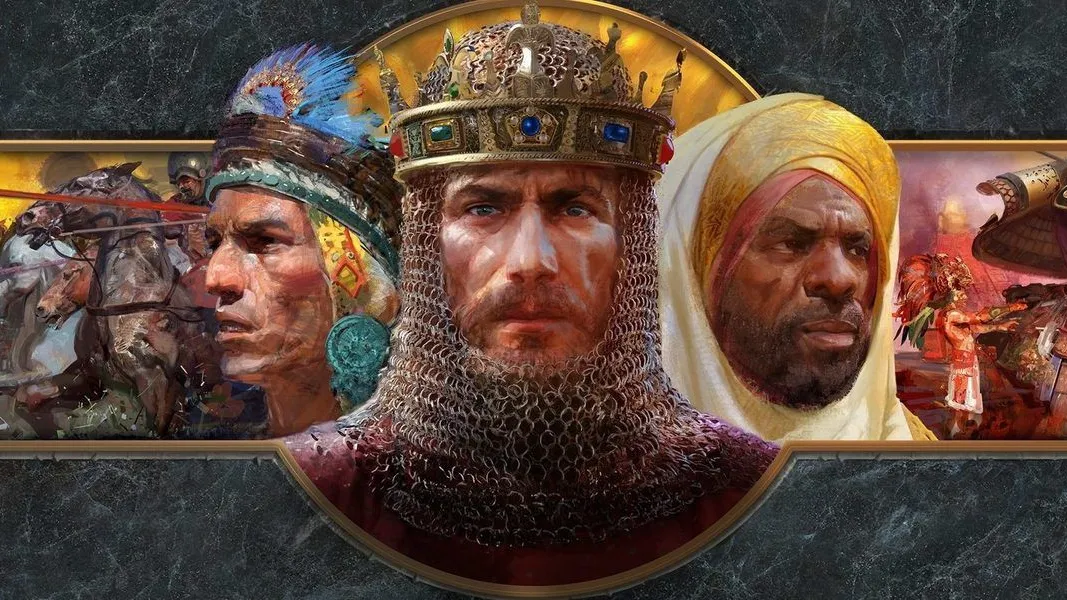
As for the game itself, no comments are needed. I tried with all my might to avoid the sickening phrases about a “living classic” in this text, but is there a video game in the world better suited to that phrase? Next year Age of Empires 2 will celebrate its 25th anniversary, and age in no way prevents it from staying relevant and, amazingly, very beautiful. Having carried out a major cosmetic overhaul in 2019, the developers managed, without losing a gram of recognizability, to turn their strategy into one of the most beautiful two-dimensional isometric games in general. The detail grew many times over, animations became smoother, and the juicy destruction of buildings can be watched forever. Still, even before these improvements the “Age” resembled the legendary Heroes of Might and Magic 3, being drawn so skillfully that the numerous three-dimensional sequels with a modern three-dimensional picture didn't even come close to looking so cozy and appealing.
What really hasn't stood the test of time is the story campaigns. With all the updates there are terrifyingly many of these campaigns now, but the design of the missions in them often doesn't impress. The stories of great commanders are presented too superficially, and instead of cutscenes they dump plain pictures with text on us.
To be honest, during the autumn presentation the announcement of the second part on Xbox aroused quite a lot of skepticism in me. It was hard to believe that this headstrong little horse from the wild computer fields could painlessly make friends with a gamepad. Even less did I believe the controls would turn out so comfortable that I would start bursting into ranked battles and practically not feel the “oppressive domination of the keyboard-and-mousers”. But the developers dispelled our fears and staged a castle drop into the vegetable garden for everyone doubting the convenience of RTS on consoles. After such a gift, you can stop worrying about the quality of the port of the 4th part.
Based on material from GameMAG. Translated from Russian.